What it does for you

From a folder of camera scans to a set of photos you can share — the tedious parts are handled for you.

Import a whole roll, get consistent color

Frames on the same roll were usually shot and developed under similar conditions. It looks at the roll as a whole, so color stays consistent from frame to frame — no flipping between a reddish shot and a greenish one. You can still fine-tune any single frame.
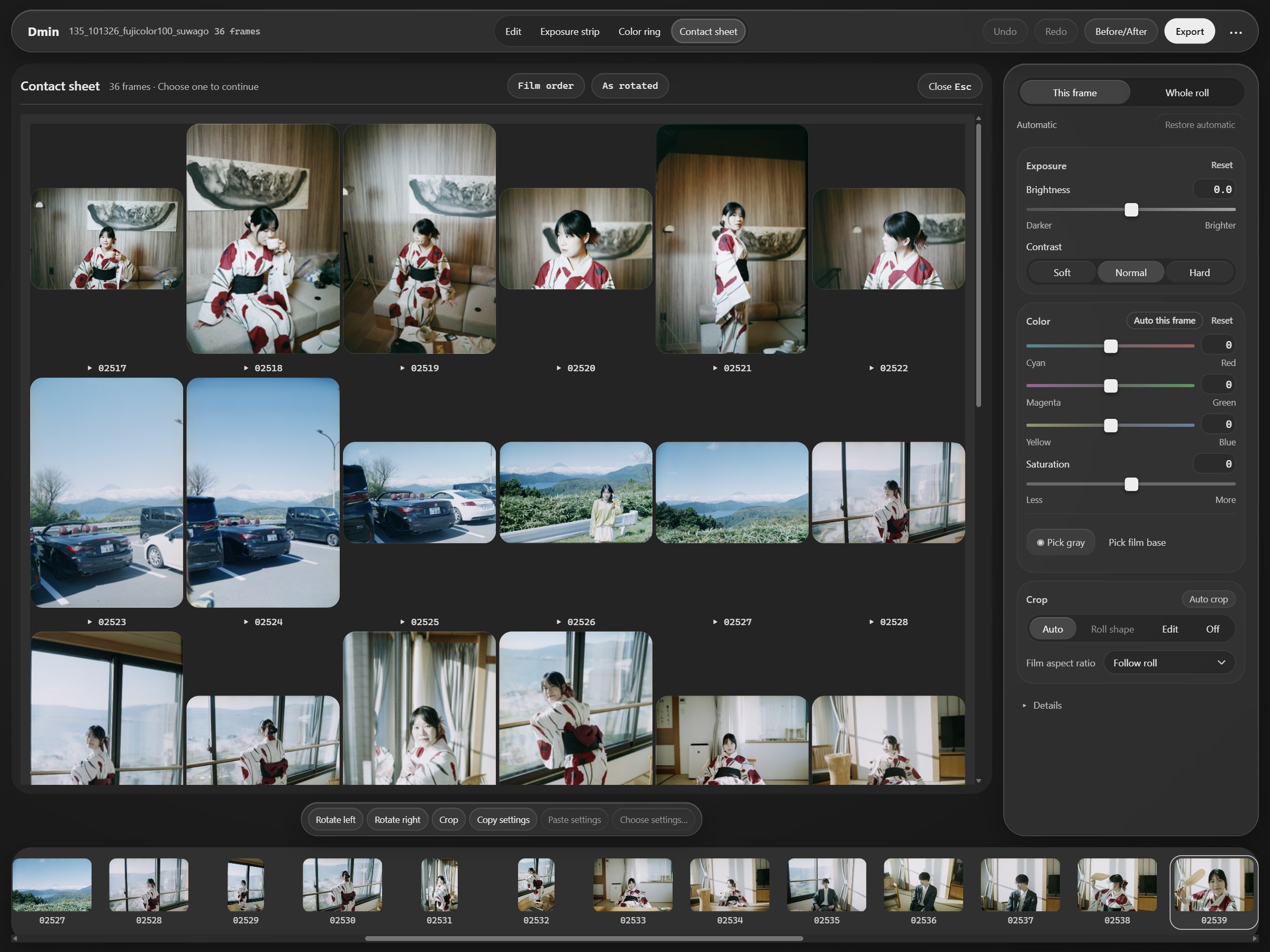
Thumbnails of an imported roll with consistent color

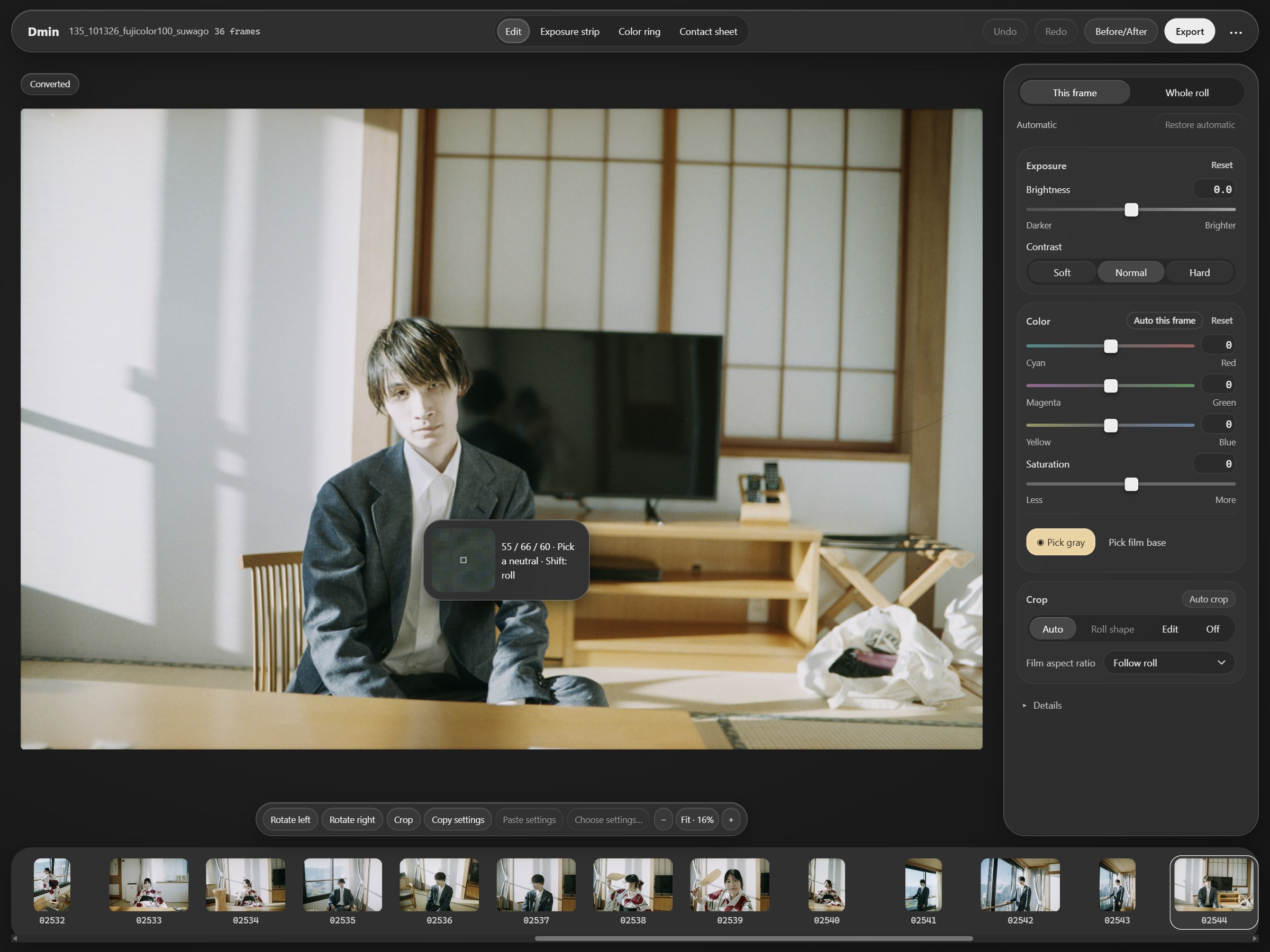
Automatic mask removal and white balance

Color negatives have an orange base layer called the “mask.” It’s removed automatically, and white balance is set for you. Prefer to set it yourself? Click “Pick gray” on something that should be white or gray — and “Use this gray for the roll” if you like.

Picking a neutral gray with the eyedropper

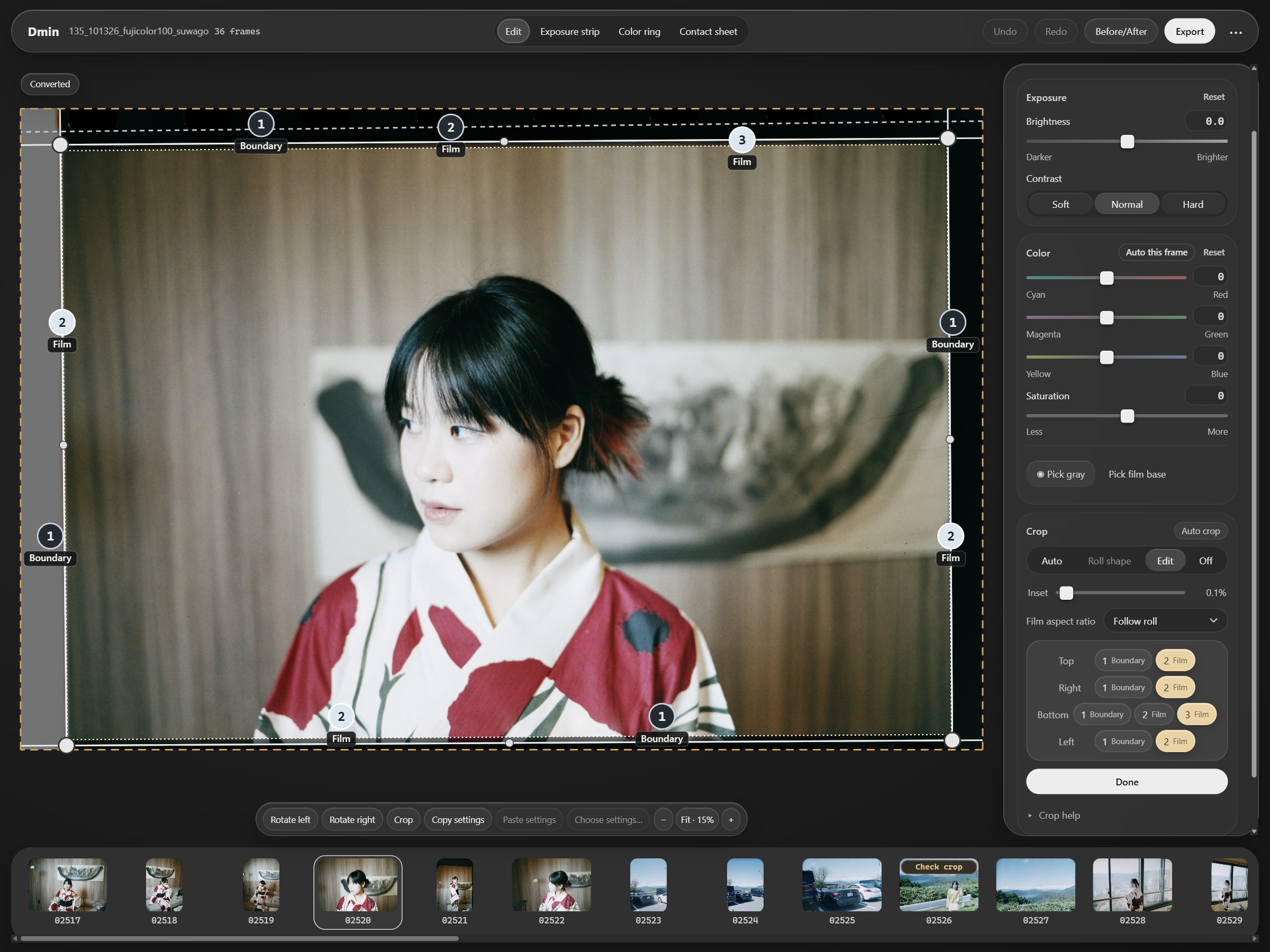
Automatic cropping, fixed with one click

It finds the edges of each frame and crops out the film holder and film borders. Works with 35mm and 120, whether you shot through a film holder or straight on a light box. If a crop looks off, just pick the right edge from a few suggestions, or drag the corners to fine-tune.

Suggested crop edges in the crop view

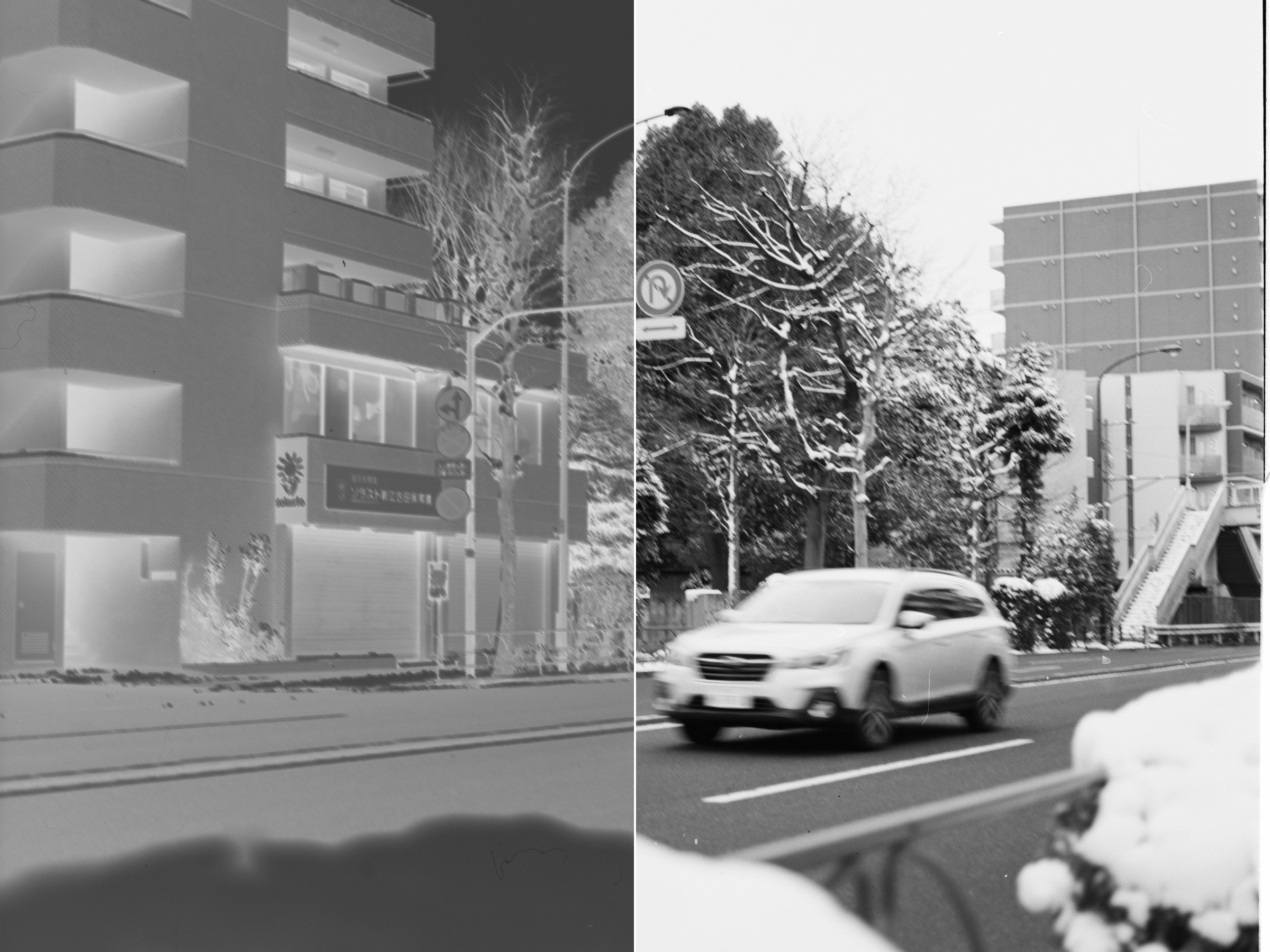
Black-and-white negatives, just as easy

Each roll is recognized as black-and-white or color automatically, and you can switch by hand. Black-and-white rolls convert just as easily into clean, natural-looking photos.

A black-and-white negative before and after conversion

And more

Not supported yet

Large format film such as 4×5 isn’t supported yet — currently 35mm and 120 only. Nikon NEF files with High Efficiency (HE / HE*) compression can’t be read yet.

Try it free. Buy it when you love it.

The free trial has every feature — exported photos just carry a watermark.

Windows · macOS (Apple silicon)